Skip to content
1-877-626-2690 | info@planacademy.com
Login
Plan Academy
  • EnterpriseExpand
    • Team Plans
    • Pricing
    • Case Studies
    • PartnershipsExpand
      • Deltek Acumen
  • IndividualsExpand
    • All Courses
    • Course Bundles
    • Primavera P6 CoursesExpand
      • Primavera P6 Professional
      • Advanced P6 Planning Construction Projects
      • Advanced P6 Progressing
    • Schedule Theory CoursesExpand
      • Scheduling 101: Essential CPM Theory
      • Construction Planning & Scheduling
    • Microsoft Project CoursesExpand
      • Microsoft Project for Engineering and Construction
    • Power BI CoursesExpand
      • Power BI Foundations
    • Schedule Analysis CoursesExpand
      • Forensic Schedule Delay Analysis
      • Analyze P6 Schedules with ScheduleReader
  • Consulting Services
  • ResourcesExpand
    • Blog
    • Scheduling Skills Quiz
    • Video Channel
    • Webinars
    • Guides & Templates
    • Knowledgebase
  • AboutExpand
    • Who We Are
    • Testimonials
    • Join The Team
    • Contact Us
  • Book Demo
Login
Plan Academy

  • wbs to activity codes
    Excel | Primavera P6 Tutorials

    Convert WBS to Activity Codes in Oracle Primavera P6

    December 13, 2011October 11, 2019

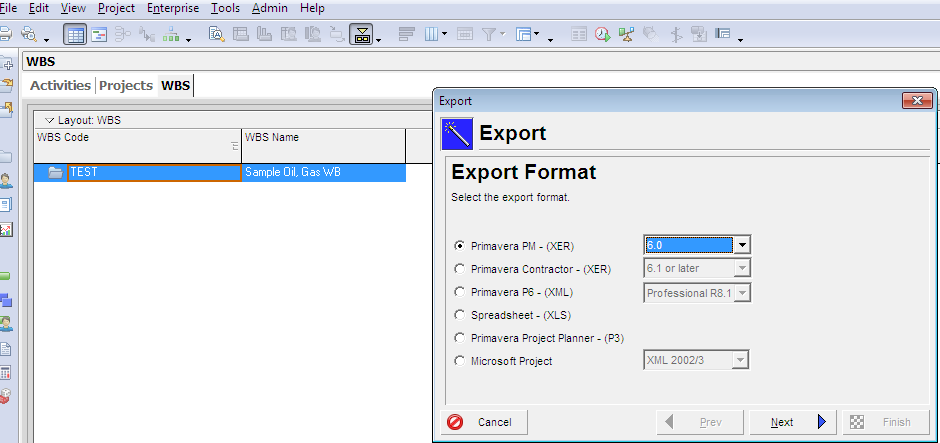
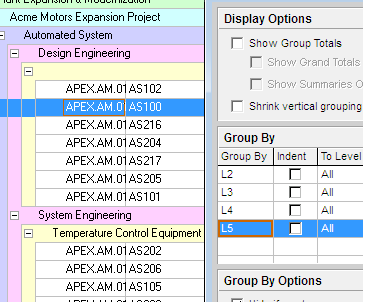
    The idea of this tutorial was inspired by a question in LinkedIn forum, a planner have received a primavera schedule using WBS, as in the oil and gas industry it is very useful to have different layouts to present the schedule to different audience, and more importantly the Work breakdown structure is based on geographic area in the construction phase, and systems in the commissioning phase, the tutorial will use the APEX sample schedule to convert a WBS to activities codes, it is assumed you
    have already worked with the Primavera P6 SDK.
    Read More Convert WBS to Activity Codes in Oracle Primavera P6Continue

  • activity-splitting-oracle-primavera
    Primavera P6 Tutorials

    Video Tutorial: Activity Splitting in P6 Using User Defined Fields

    November 25, 2011February 20, 2015

    Primavera doesn’t have a feature to split a planned activity.  It does have “Suspend” and “Resume” fields for statusing an…

    Read More Video Tutorial: Activity Splitting in P6 Using User Defined FieldsContinue

  • oracle-primavera-filters-excel
    Excel | Primavera P6 Tutorials

    Using Primavera P6 Filters On Export To Excel

    September 23, 2011October 9, 2019

    Primavera’s custom Activity filters are great for focusing in on a subcontractor’s work list or even to hide Activities that…

    Read More Using Primavera P6 Filters On Export To ExcelContinue

Page navigation

Previous PagePrevious 1 … 20 21 22

Company

  • About Plan Academy
  • Case Studies
  • Join The Team

Training & Support

  • Courses
  • Training for Teams
  • Free Webinars
  • Free Resources
  • Blog
  • Help Center

Legal Stuff

  • Terms & Conditions
  • Privacy

CONNECT

Contact Us

Customer Support

Plan Academy Inc.
Hamilton, ON Canada.

1-877-626-2690

Facebook X Linkedin YouTube

© 2025 Plan Academy. All rights reserved.

  • Enterprise
    • Team Plans
    • Pricing
    • Case Studies
    • Partnerships
      • Deltek Acumen
  • Individuals
    • All Courses
    • Course Bundles
    • Primavera P6 Courses
      • Primavera P6 Professional
      • Advanced P6 Planning Construction Projects
      • Advanced P6 Progressing
    • Schedule Theory Courses
      • Scheduling 101: Essential CPM Theory
      • Construction Planning & Scheduling
    • Microsoft Project Courses
      • Microsoft Project for Engineering and Construction
    • Power BI Courses
      • Power BI Foundations
    • Schedule Analysis Courses
      • Forensic Schedule Delay Analysis
      • Analyze P6 Schedules with ScheduleReader
  • Consulting Services
  • Resources
    • Blog
    • Scheduling Skills Quiz
    • Video Channel
    • Webinars
    • Guides & Templates
    • Knowledgebase
  • About
    • Who We Are
    • Testimonials
    • Join The Team
    • Contact Us