
Every year, Oracle rolls out new updates to Primavera P6, and we’re here to break down what’s actually useful for planners, schedulers, and project controls pros. Whether you’re running P6 on-premise or keeping up with Oracle Primavera Cloud’s steady stream of updates, there’s plenty to unpack in version 25.12.
Let’s dive into the most important new features and enhancements in Primavera P6 25.12 – and what they mean for your day-to-day work.
1. Global Change Gets More Flexible
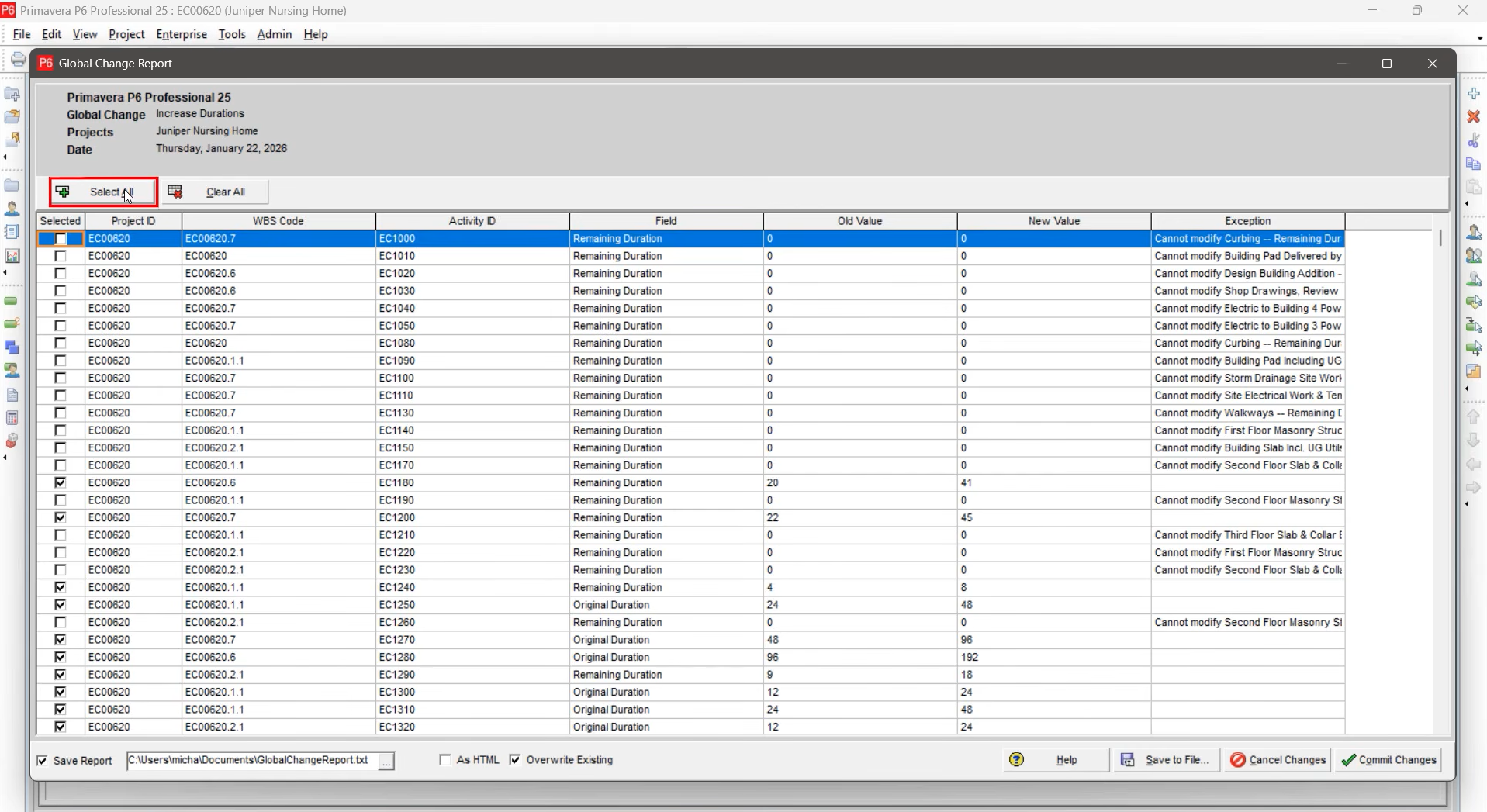
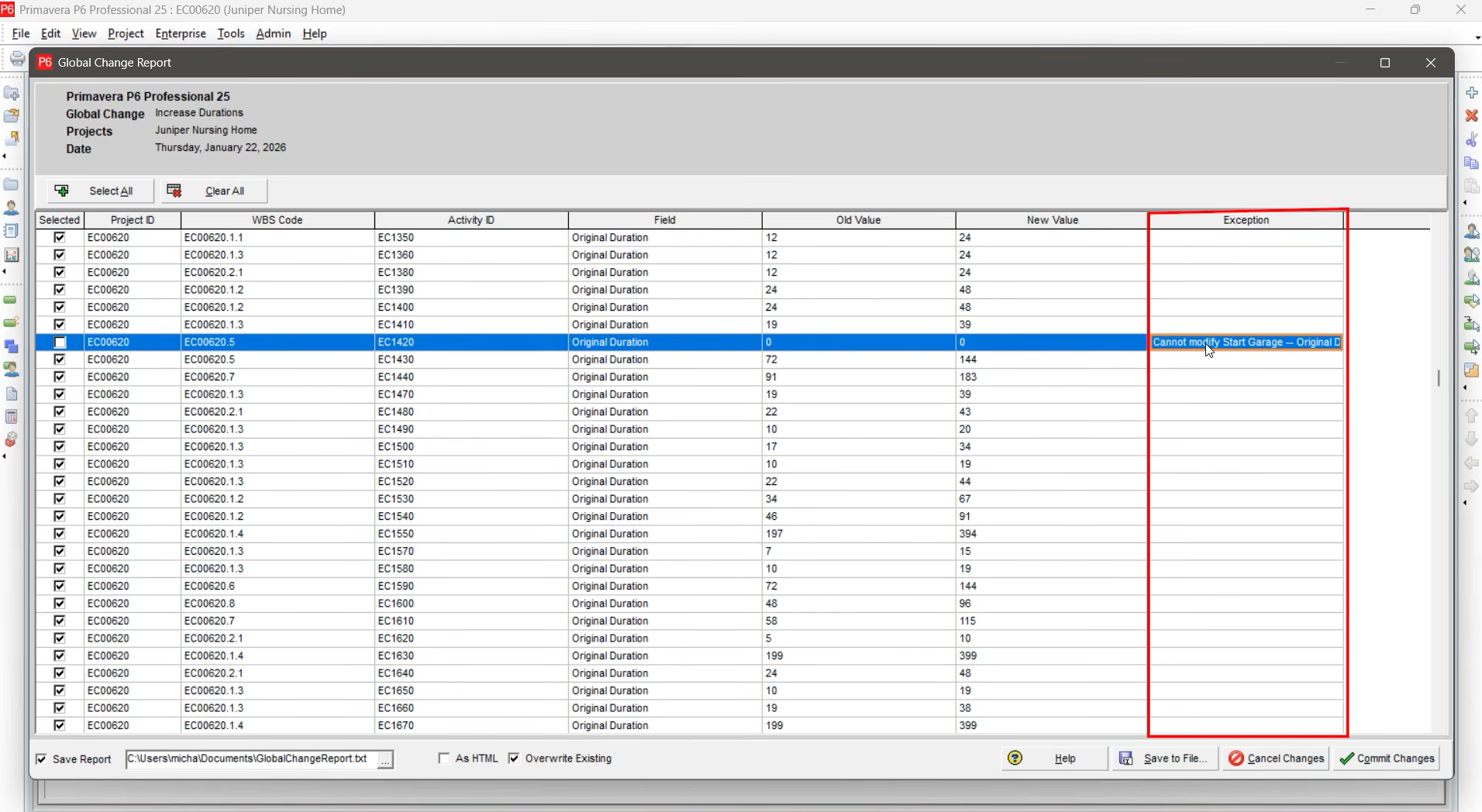
Global Change has always been a powerful tool for batch-updating activities, but the process could be a bit all-or-nothing. Now, you can pick and choose exactly which activities to apply your changes to. This means more control and less risk of accidental updates. Plus, the interface gives you feedback if a change can’t be applied (for example, trying to increase the duration of a milestone). It’s a small but meaningful quality-of-life improvement.
2. Out-of-Sequence Alerts
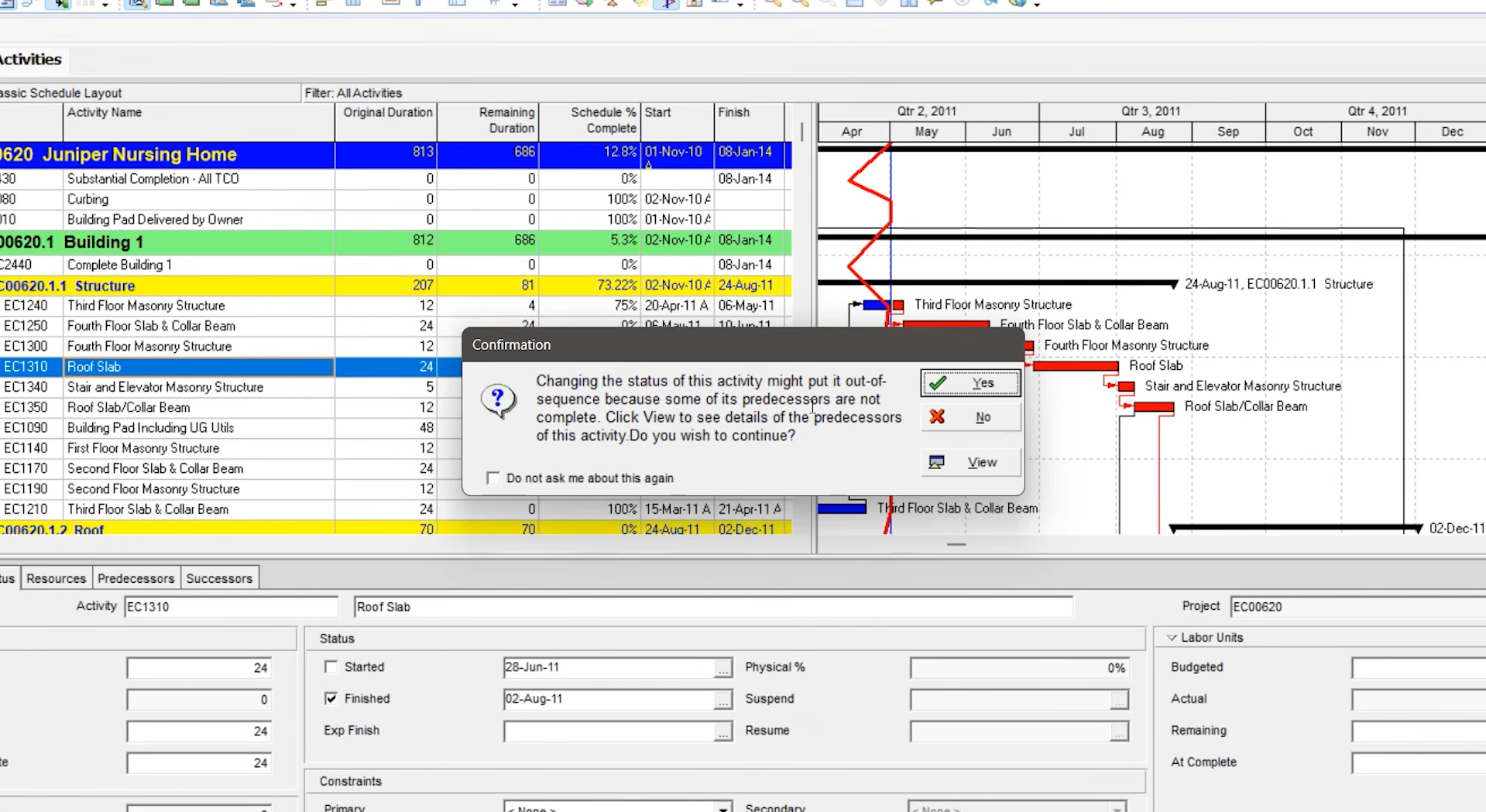
Historically, P6 hasn’t been great at warning you when your updates might cause problems. That changes with the new “Out of Sequence” alert. If you try to mark an activity complete before its predecessors, P6 will now prompt you with a warning (once you enable it in: Edit > User Preferences > Assistance tab). While the alert’s details are basic, it’s a step toward helping users avoid common scheduling pitfalls.
3. Enhanced XML Baseline Support
In the past, exporting a project to XER meant losing your baselines. Oracle addressed this by allowing primary baselines to be included in XML exports. Now, with 25.12, you can export and import up to four baselines (primary, secondary, tertiary, and project) with your project. You also get more control over which baselines to import, making XML a much smarter choice for moving projects between databases.
4. Baseline Management Improvements
Baseline management gets several small but helpful tweaks:
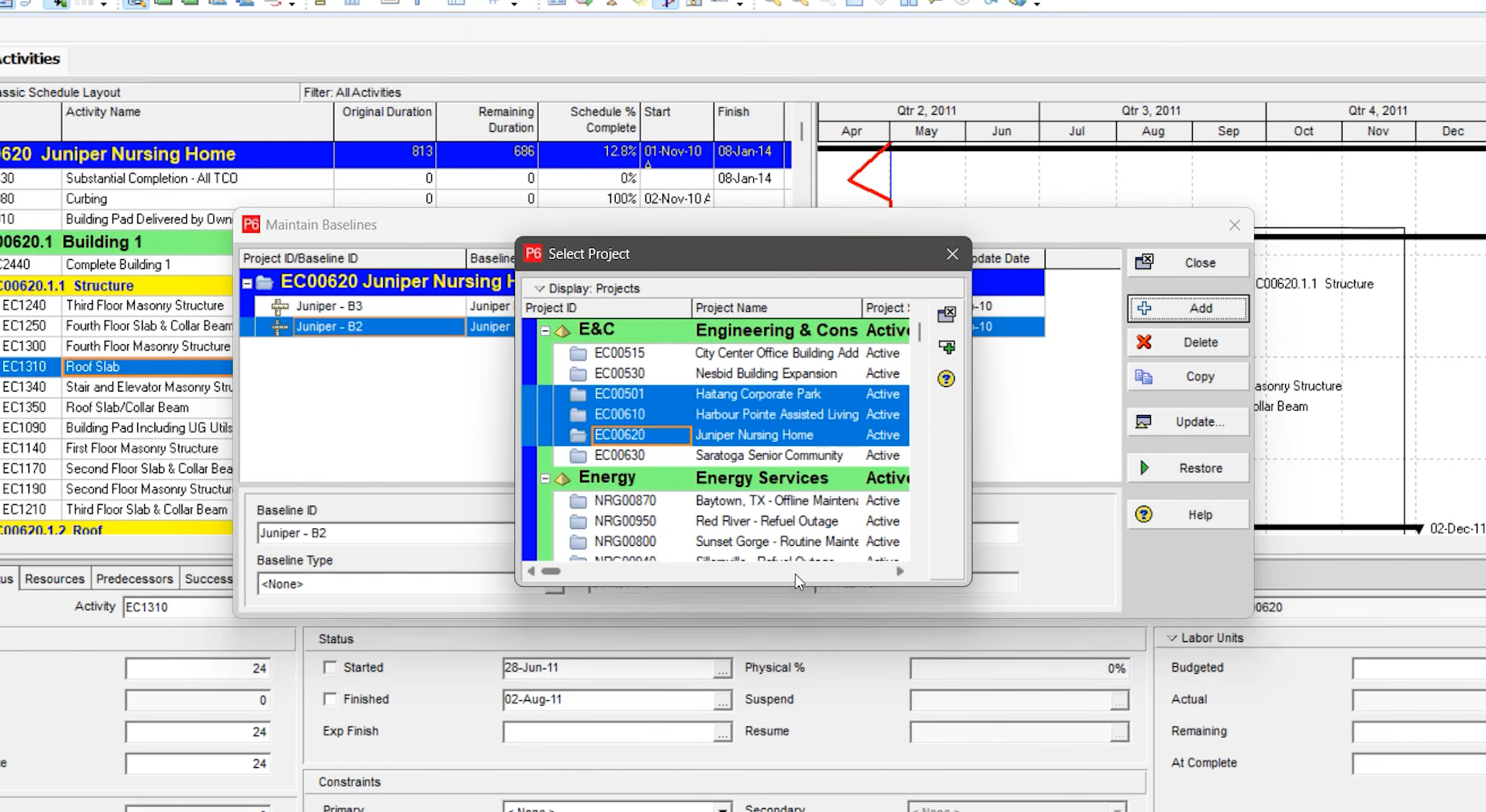
- Baseline ID Field: When maintaining baselines, you’ll now see the baseline’s project ID alongside its name, making it easier to identify the right baseline.

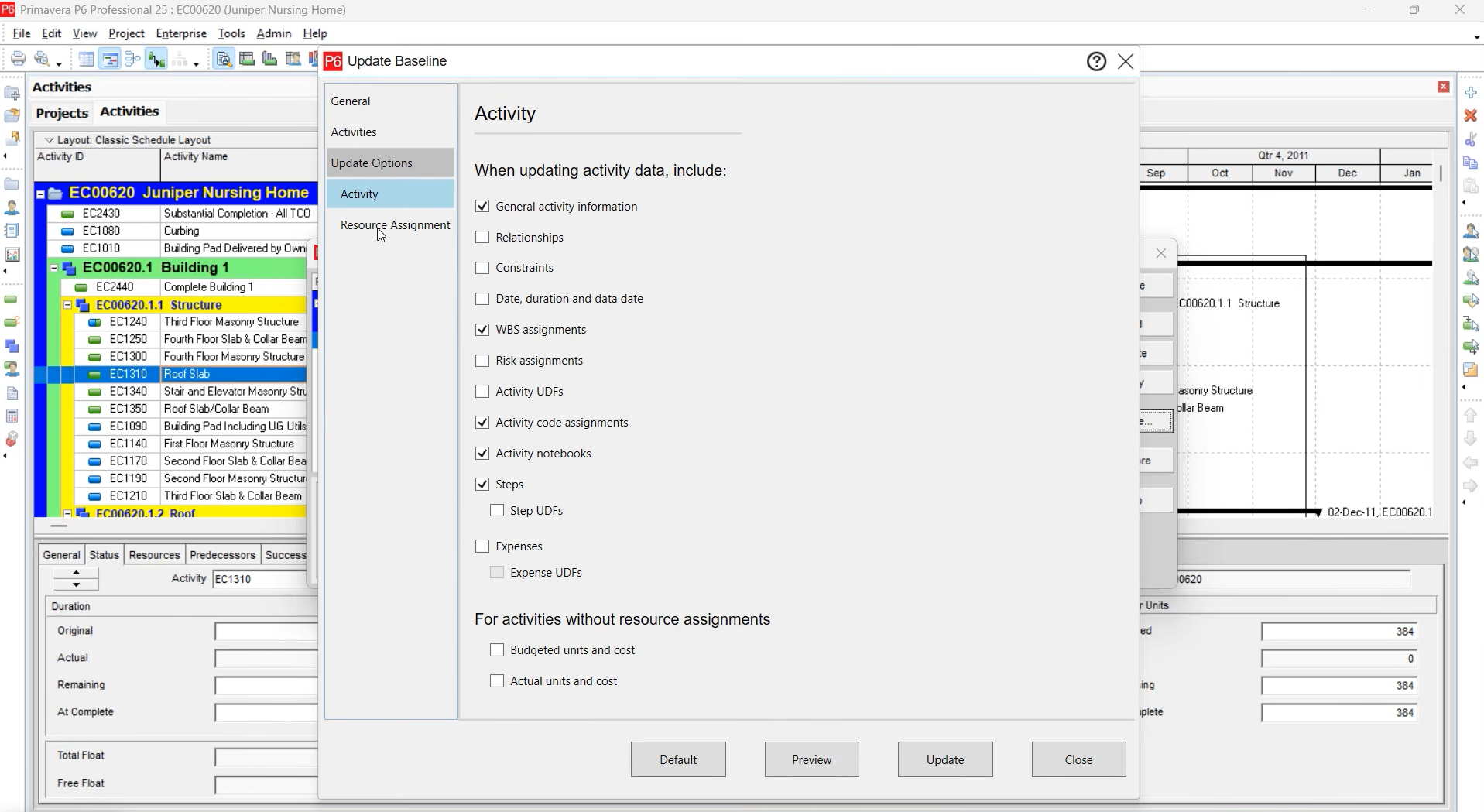
- Update Baseline Filters: The “Update Baseline” feature now has a refreshed interface with more filtering options, letting you roll current project data into a baseline more selectively.
- Convert Multiple Projects to Baselines: You can now select and convert multiple projects into baselines at once, speeding up setup for complex programs.
5. Performance Boosts for Large Databases
If you’re working with massive databases, you’ll appreciate the new “Large Text Data Fields” option in User Preferences. This feature delays loading heavy data (like global calendars, project calendars, notebook topics, and resource notes) until you actually need it, which can significantly improve performance when opening or scheduling large projects.

6. Estimate Time to Complete Fields
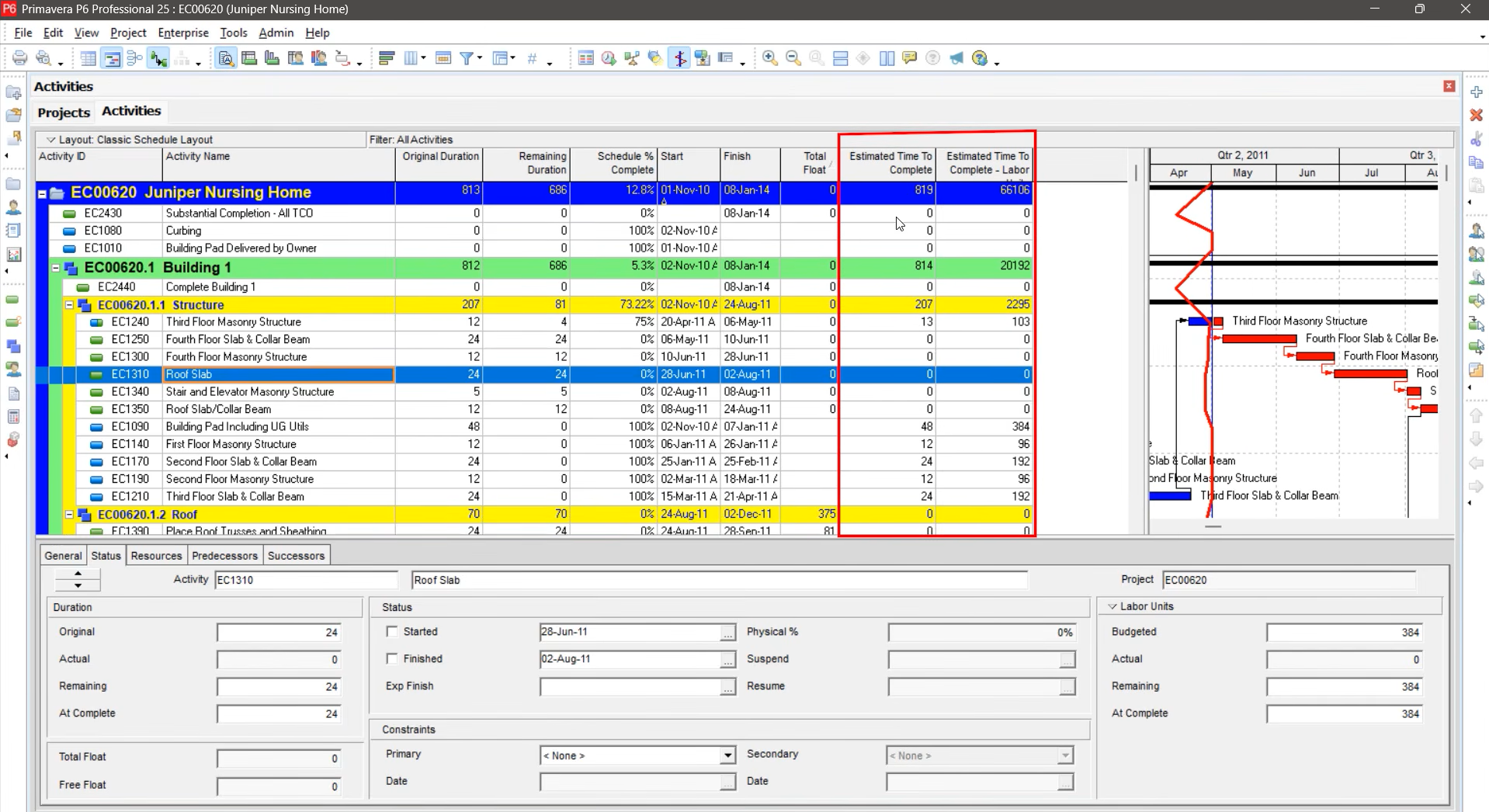
Two new Earned Value fields – Estimate Time to Complete (for duration) and Estimate Time to Complete Labor Units – are now available at both the activity and resource assignment levels. These fields use the Schedule Performance Index (SPI) to give a more realistic projection of how much time or labor remains, helping teams forecast progress more accurately.
7. New SQL Logging Tool
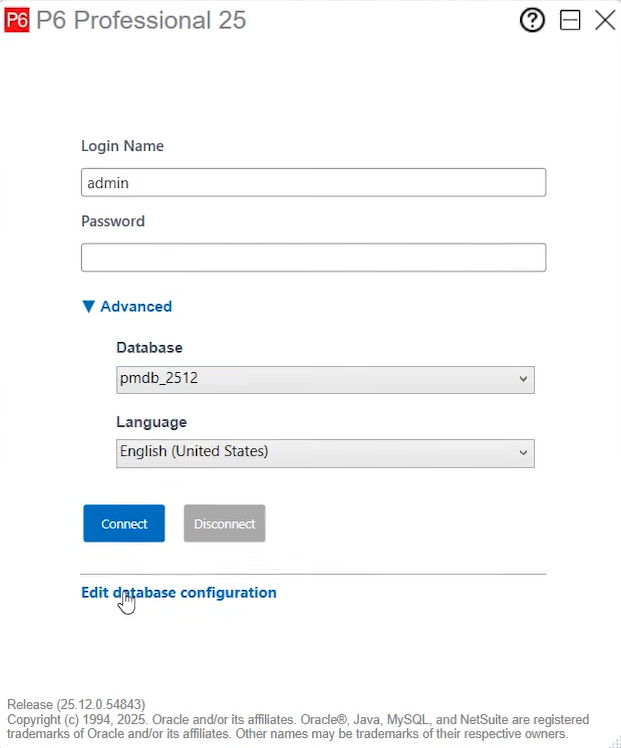
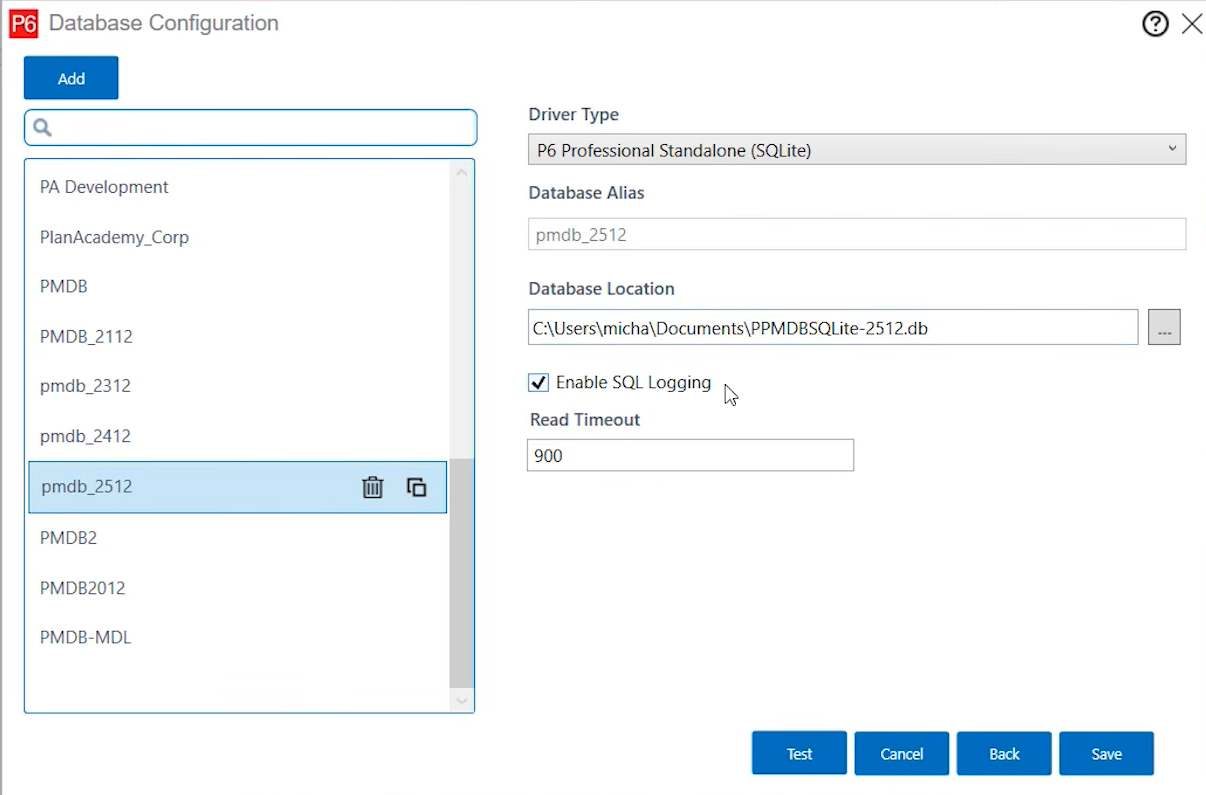
For those managing the technical side of Primavera P6, Oracle has replaced the old SQL trace tool with a new SQL logging and monitoring tool: Enable SQL Logging option. You can enable it in the Database Configuration Dialog box, making it easier to troubleshoot and analyze database interactions.
8. Other Noteworthy Updates
Check Out Baselines with Projects: When you check out a project, its baselines are now included – helpful for organizations with strict editing controls.
General UI Refinements: Various screens, especially around baseline management, have been refreshed for clarity and ease of use.
Primavera P6 25.12 isn’t a revolutionary release, but it brings a collection of thoughtful enhancements that will make life a little easier for schedulers and project controls professionals – especially those managing large, complex portfolios.
Have you tried out the new features? Let us know what you think. You can also read last year’s Primavera P6 version 24.12 post.